
Dashboard in Captana LIVE – Get a Quick Overview of In-Store KPIs
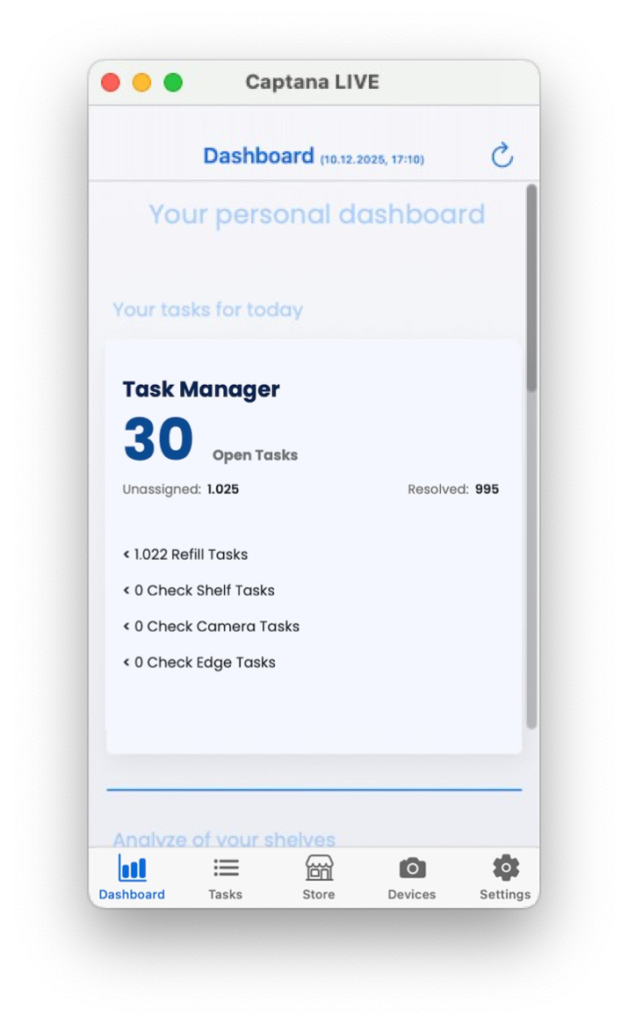
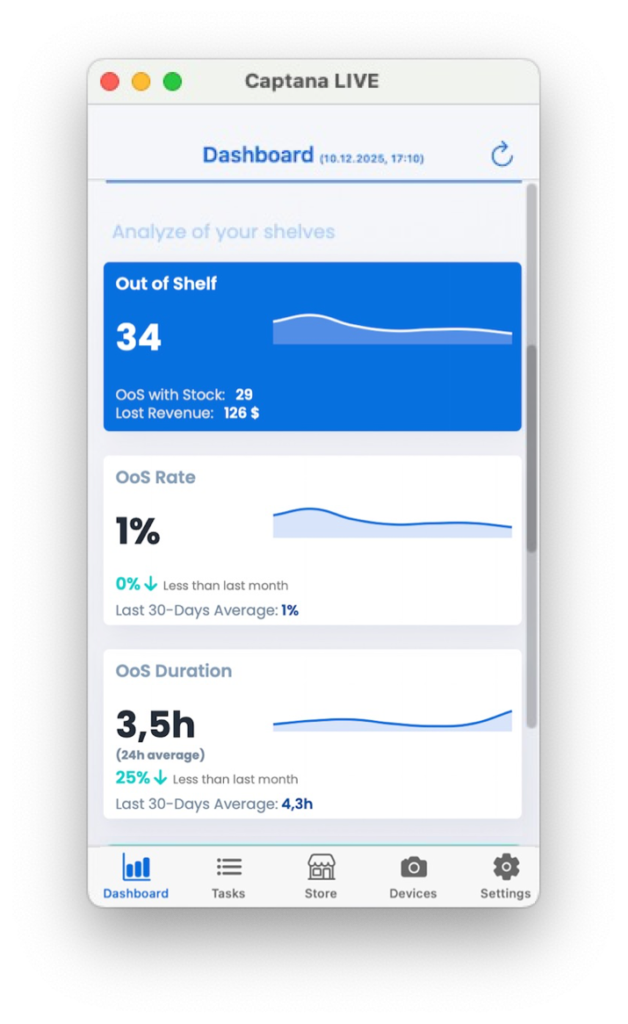
The dashboard in the Captana LIVE app provides a compact, real-time overview of the current situation in the store. Relevant KPIs such as shelf gaps, tasks, and product availability are consolidated in one place, making it immediately clear where action is required.
The clear structure allows you to derive priorities instantly and work on tasks directly from the overview – without having to switch between different views.
Typical dashboard contents include:
- Regallücken (Oos/Out-of-Shelf) (inkl. Differenzierung mit/ohne Lagerbestand)
- Open tasks
- Rate of On-shelf availability
- OoS duration
- Planogram compliance
This makes the dashboard the starting point for daily prioritization and operational control in the store.
How to set up your personal dashboard is explained in article Dashboard in Captana LIVE – Customize Your View.